Every declaration is manual work
How it works today
The client sends an invoice, packing list and CMR by e-mail or messenger. The broker opens each file, reads the figures with their eyes and types them into ASYCUDA line by line. A shipment with 40 items takes hours. A misplaced digit in the weight or a wrong HS code means a fine.
- minutes per declaration, manually
- 45–180
- official tariff codes with duty rates in the system
- 13 700+
- languages: Georgian, English, Russian
- 3
What Declarant does
Five stages of a broker's work. Each feature is marked as live or in development.
1
Intake & recognition
Smart import
-
Documents arrive by themselvesLive
The client sends files to a Telegram bot via a personal link, or to the office e-mail. The system picks them up on its own and attaches them to the right shipment by the sender's address.
-
AI reads scans, photos and tablesLive
Invoices as scans, photos, two-column layouts or tables. The system understands the meaning of a document, not just the letters, and pulls out every line of the goods table.
-
Smart merge of duplicatesLive
The invoice gives prices, the packing list gives weights, the CMR gives the total. The system merges the same goods from different documents into a single declaration line instead of multiplying them.
-
Splitting complex PDFsIn development
When an invoice arrives as one 50-page file mixing specifications, contracts and certificates, the system will separate the goods tables from the legal text on its own.
2
Verification & correction
The anti-stress interface
-
Confidence traffic lightLive
Green — the document and the declaration agree. Yellow — they differ, check it. Red — a mandatory field is empty. The broker only looks at the yellow and red zones instead of re-reading everything.
-
Side-by-side comparisonLive
One column shows what the AI read from the document, the other shows what is in the declaration. Any field can be edited on the spot, or pulled from the document with a single click.
-
HS code assistant with real ratesLive
Search across the full Georgian nomenclature. Each code immediately shows its official duty and VAT rate, and whether a veterinary, phytosanitary or other certificate is required. Origin matters: the same goods from the EU may be duty-free while from another country they are not.
-
Highlighting on the scanIn development
Clicking a line in the recognised table will highlight and zoom the exact spot on the original scan the data came from — no scrolling, no hunting with the eyes.
3
Calculations & currency
Maths without a calculator
-
Automatic cost distributionLive
Freight and insurance usually come as one figure for the whole truck. The system spreads them across every item — by value or by weight — instantly, with no rounding losses. This is the part that takes longest by hand.
-
Live National Bank ratesLive
Rates are pulled from the National Bank of Georgia for the clearance date. An invoice in yuan, payment in lari — the broker never thinks about conversion.
-
Duty, VAT and feesLive
Rates come from the official Revenue Service tariff — including specific ones such as euro-per-litre on wine and spirits. VAT and the declaration fee are added automatically. Change the freight figure and the whole table recalculates.
4
Safety & error control
Protection from fines
-
Pre-submission auditLive
Before the file is built, the system checks the logic the way an inspector would: net weight above gross, item totals that do not match the invoice, a suspiciously low unit price, a missing certificate for goods that require one. Errors block the export until they are fixed.
-
It remembers your decisionsLive
Correct a duty rate or a code once and the office keeps it. Each broker builds up their own accumulated knowledge inside the system.
5
Reporting
Convenience for the business
-
Client calculation as PDFLive
One button produces a clear report on the broker's own letterhead: goods value, duty, VAT, fees and the total payable. Forward it to the importer for budget approval — no letter writing needed. Available in all three languages.
-
Archive of every shipmentLive
Every document, every recognised figure and every decision stays with the shipment. A year later you can see exactly how a similar consignment was cleared.
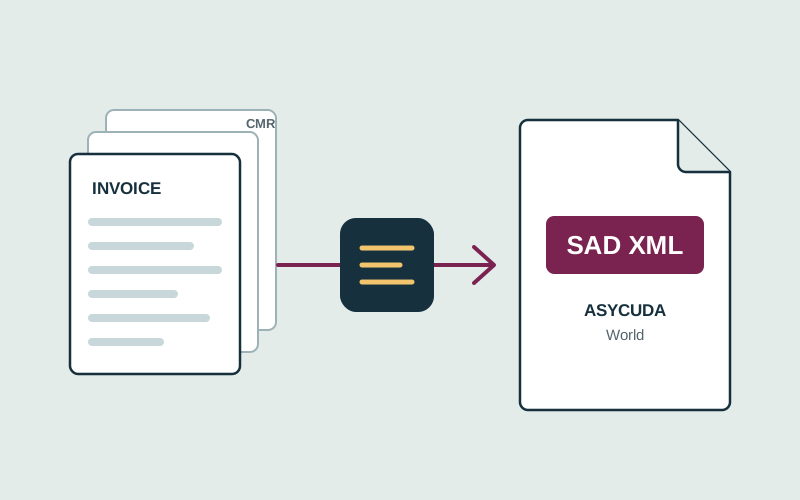
Export to ASYCUDA via XML import
Declarant builds a SAD XML file to the UNCTAD specification. The broker opens the official ASYCUDA client, chooses “Import XML”, checks the pre-filled declaration and registers it.
-
1
Documents
Telegram, e-mail or manual upload
-
2
Recognition
AI extracts every goods line
-
3
Verification
Traffic light, HS codes, audit
-
4
Calculation
Duty, VAT, cost distribution
-
5
SAD XML
Import into ASYCUDA World
Corridor trackingIn development
A dashboard of all current declarations that colours itself, so the broker no longer refreshes the ASYCUDA page. Once a green corridor is caught, the client can be notified in Telegram automatically. This part is under development — the scope depends on what the customs system opens up for integration.
-
Green
Released automatically, no inspection. The cargo can be collected.
-
Yellow
Document check. Prepare the original invoices and certificates.
-
Blue
Released, but the company falls under later post-clearance audit.
-
Red
Physical inspection. The declarant must attend at the clearance zone.
Built on official sources
No guesswork — rates, codes and exchange rates come from state systems.
Revenue Service of Georgia
The full customs tariff: duty and VAT rates, certificate, licence and permit requirements for every commodity code.
National Bank of Georgia
Official exchange rates for the clearance date, updated daily.
ASYCUDA World
SAD XML built to the UNCTAD specification, ready for import into the official client.
Telegram & e-mail
Each client gets a personal bot link. Documents also arrive from the office mailbox and attach themselves to the right shipment.
Try it on your own shipments
We will set up an account for your office, connect your mailbox and bot, and walk through a real declaration together.